1. Most Popular Questions
What is Saily eSIM, and who makes it?
Saily is an international prepaid travel eSIM service developed by Nord Security—the team behind digital privacy tools like NordVPN. It allows travelers to buy local, regional, or global mobile data plans in over 150–200 countries without physical SIM cards or expensive roaming charges.
Does Saily include a phone number and SMS, or is it data-only?
Saily plans are data-only. You do not receive a traditional phone number for cellular calls or carrier SMS texts. However, you can easily make calls and send messages using internet-based apps like WhatsApp, Telegram, FaceTime, Signal, or Skype over the Saily network.
How do I install and activate Saily on my phone?
Purchase a Plan: Download the official Saily app (iOS/Android), select your destination, and pick a data package (e.g., 1GB, 3GB, 5GB, 10GB, or 20GB valid for 7 to 30 days).
Install Profile: Tap “Install eSIM” inside the app while connected to Wi-Fi before leaving.
Turn On Roaming: Upon arrival at your destination, set the Saily profile as your secondary Cellular Data line and toggle Data Roaming ON in your phone settings.
Can I share my internet via Mobile Hotspot / Tethering?
Yes, Saily supports mobile hotspot tethering on compatible devices. You can share your data connection with laptops, tablets, or travel partners without added fees or artificial speed limits.
2. Saily Discounts, Promo Codes & Coupons
Note: Saily offers discounts through percentage promo codes, fixed dollar referral coupons, and regional sales on long-term or multi-country plans.
How do I apply a Saily coupon code or promo code?
Open the Saily app or website and pick your destination and data plan size.
At the checkout screen under Order Summary, select “Got a Coupon?” or click the promo field.
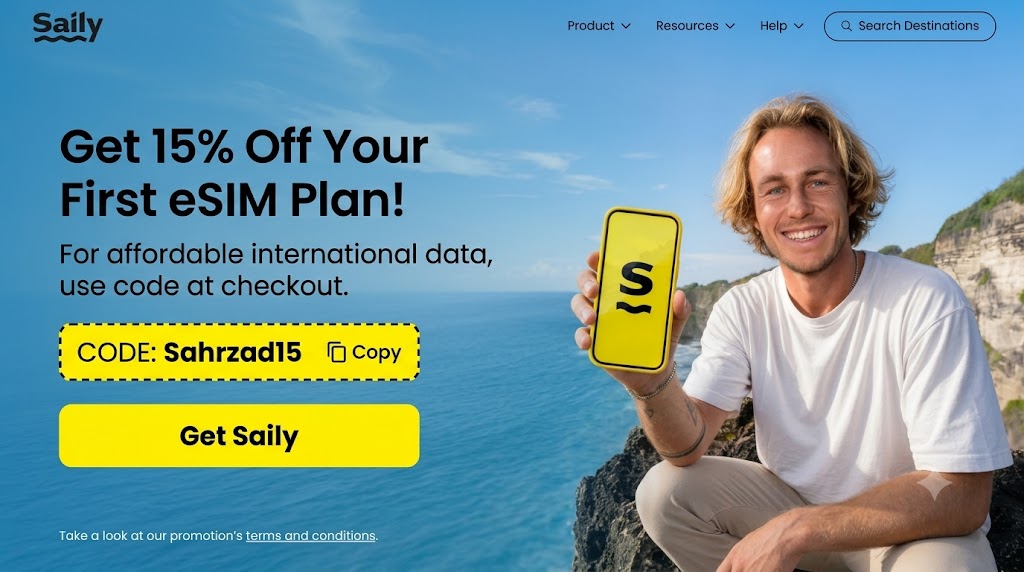
Type or paste your code SAHRZAD15 and press Apply.
The discount will reflect in your updated order total before payment.
(Source: Reddit Coupon Guides)
What are the best active Saily promo codes on Reddit right now?
sahrzad15: A community coupon that provides 15% off all Saily eSIM data plans for all users.Regional & Seasonal Promos: Saily regularly runs percentage promos up to 30–35% off on specific regional bundles (such as North America or Europe) during major travel seasons.
(Source: Verified Saily megathreads on r/saily & r/vouchershunt)
How does the Saily Referral Program work?
After making your first purchase, the app grants you a personal referral code under your profile/credits tab.
For the new user: Anyone using your referral code gets $5 off (or $3 off depending on active promotion rules) their first plan.
For you: You receive $5 in Saily store credits in your account once their purchase completes.
Credits remain valid for up to 1 year and can be accumulated to cover future travel plans.
Can I stack multiple promo codes or combine them with referral credits?
Saily only accepts one promotional or referral code per checkout transaction. However, you can spend accumulated referral credits on plans alongside promotional baseline rates.
Quick Strategy: For small plans ($4–$10), a flat $5 referral code gives the highest percentage savings. For larger regional or 20GB plans ($30+), a 15% percentage promo (like sahrzad15) saves more money overall.
(Source: Reddit deal analysis on r/vouchershunt)
3. Technical Performance & Network Troubleshooting
| Issue | Common Cause | Quick Reddit Fix |
| No Internet Connection | Data Roaming is turned off. | Go to Settings > Cellular > Saily line > Toggle Data Roaming ON. |
| Connected to network, but no data | Unconfigured APN (Access Point Name). | In Cellular settings, set the APN manually to saily or globaldata per app instructions. |
| High Latency / Ping Spikes | Traffic routed through distant regional servers. | Manually switch network operator in settings (e.g., in Japan, switch between SoftBank and DoCoMo). |
4. Most Unusual Questions on Reddit
“Can I install Saily eSIM on a standalone smartwatch or mobile Wi-Fi router?”
Saily is built for eSIM-compatible smartphones and tablets. Standalone smartwatches (like Apple Watch Cellular) require carrier family sharing that travel eSIMs don’t support. Dedicated travel hotspot routers work only if they support custom consumer eSIM profile downloads (such as 5ber adapters).
“Does Saily work mid-flight or on a cruise ship in the middle of the ocean?”
No. Saily relies on terrestrial cell towers on land. While at sea or thousands of feet in the air, your phone will show “No Service” until you approach land or port cell networks.
“Since Saily is made by Nord Security, does it automatically encrypt all my traffic like NordVPN?”
No. Saily provides the cellular connectivity pipeline, while NordVPN provides an encrypted tunnel. Saily alone does not automatically turn on VPN encryption, though it works alongside NordVPN without blocking traffic.
5. Funniest & Quirkiest Questions
“If I run out of data on a mountain trail, will Saily send a carrier pigeon with extra gigabytes?”
Carrier pigeons haven’t upgraded to 5G yet! Download offline maps beforehand and monitor your data usage in the Saily app so you can top up over Wi-Fi before heading out into remote areas.
“Why does Saily keep telling me ‘don’t forget your sunglasses’ when I’m flying to Scotland in November?”
Saily’s official tagline is “Just don’t forget your sunglasses and Saily”. For November in Scotland, trade those sunglasses for a sturdy raincoat!
“Can I rename my Saily eSIM line to ‘FBI Surveillance Van’ in my phone settings?”
Yes! Your phone lets you customize the eSIM label to whatever you want under Settings > Cellular. It won’t speed up your connection, but it might give anyone looking at your screen a laugh.
6. Customer Support & Refund Policy
Support Availability: Saily offers 24/7 in-app live chat support for setup help and connection questions.
Refund Eligibility: According to Reddit feedback and terms, refunds are generally approved if the eSIM profile was never activated or if a network outage on their side prevented connection. Refunds are typically denied if data has already been used or if the issue was caused by an unlocked/unsupported phone hardware limitation.
Pre-Troubleshooting Checklist (Baseline Verification)
Before adjusting system settings, confirm these mandatory prerequisites:
Carrier Lock Status: Ensure your phone is fully unlocked by your home provider. On iPhone, go to Settings > General > About > Network Provider Lock—it must say No SIM restrictions.
Location: Most travel eSIMs cannot finish network registration until you land in your destination country and connect to a local cell tower.
Initial Setup Internet: You must be connected to a stable Wi-Fi network when downloading and setting up the eSIM profile initially.
Phase 1: Basic Line & Roaming Setup (Fixes ~80% of Issues)
Step 1: Enable the Saily Line & Set as Primary Data
iPhone: Go to Settings > Cellular (or Mobile Service) > select your Saily line > toggle Turn On This Line ON. Next, go back to Cellular > Cellular Data and choose Saily.
Android: Go to Settings > Connections (or Network & Internet) > SIM Manager > turn Saily ON. Under Mobile Data / Preferred SIM, select Saily.
Step 2: Turn ON Data Roaming
Travel eSIMs connect via foreign host carriers and will not transmit data if roaming is turned off.
iPhone: Go to Settings > Cellular > select Saily line > Cellular Data Options > toggle Data Roaming ON.
Android: Go to Settings > Connections > Mobile Networks > select Saily > toggle Data Roaming ON.
Step 3: Refresh Network Signals
Toggle Airplane Mode ON for 30 seconds, then turn it OFF. If data still doesn’t register, perform a standard phone restart.
Phase 2: Fixing Missing or Incorrect APN Settings
The Access Point Name (APN) tells your device how to route traffic to Saily’s network. If your phone shows signal bars (4G/5G) but internet pages fail to load, your APN profile did not configure automatically.
Quick Android Fix: Open the Saily app and leave it running in the foreground for 2–3 minutes while connected to cellular signal—this triggers Saily’s automatic APN push service.
Manual APN Configuration on iPhone (iOS)
Open Settings > Cellular (or Mobile Service).
Tap your Saily eSIM profile.
Select Cellular Data Network.
In the APN field under Cellular Data, type
saily(orglobaldata, matching the string shown in your Saily app instructions). Leave Username and Password blank.Toggle Airplane Mode ON and OFF to save changes.
Manual APN Configuration on Android (Samsung, Pixel, etc.)
Open Settings > Connections (or Network & Internet) > Mobile Networks.
Tap Access Point Names (APN).
Tap Add (or the + icon in the top right corner).
Set Name to:
SailySet APN to:
saily(orglobaldataas instructed in your app).Tap the three dots menu in the upper corner and tap Save.
Tap the radio button next to your new Saily APN entry to make it active.
Phase 3: Resolving “Stuck on Activating” & System Glitches
If your eSIM gets caught in a long “Activating…” loop upon arrival:
1. Synchronize System Time
Mismatched network clocks cause cryptographic handshake timeouts during activation.
Go to Settings > Date & Time and toggle Set Automatically ON.
2. Clear Carrier Services Cache (Android Only)
Go to Settings > Apps > Carrier Services > Storage and tap Clear Cache.
3. Reset Network Settings
This clears out stale IP caches and corrupt carrier profiles without deleting your personal photos or apps.
iPhone: Settings > General > Transfer or Reset iPhone > Reset > Reset Network Settings.
Android: Settings > System (or General Management) > Reset > Reset Network Settings.
🛑 Critical Warning
Do NOT delete or erase your eSIM profile from your phone settings while troubleshooting. Once deleted, a travel eSIM QR code cannot be re-scanned. If these steps do not restore connectivity, open the Saily app to submit an automated diagnostic report or open a 24/7 support chat.