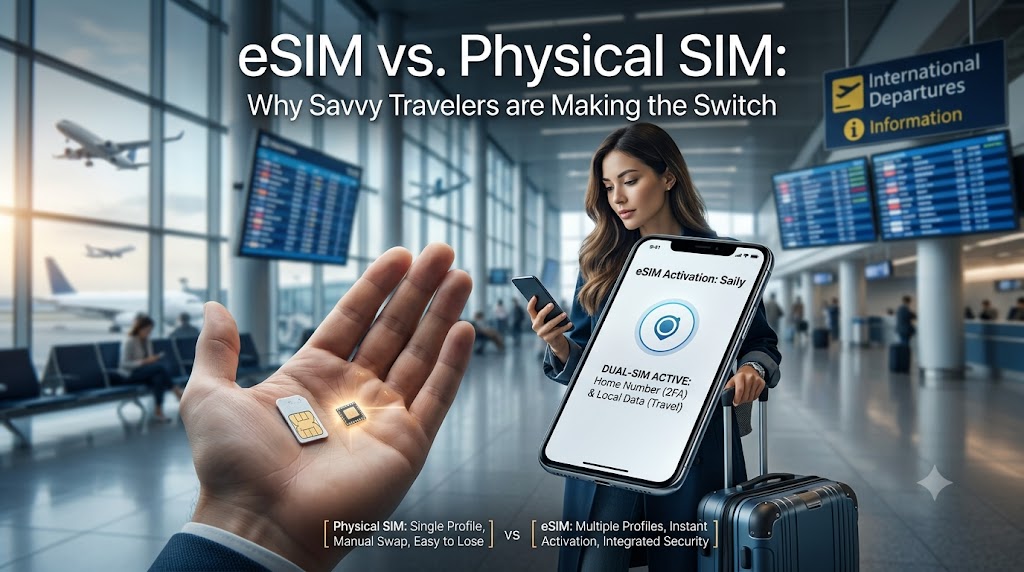
For decades, international travel required a familiar, tedious ritual: landing in a foreign airport, hunting down a local mobile kiosk, and using a paperclip to swap out a tiny piece of plastic. Today, that friction is obsolete. The transition to embedded SIM (eSIM) technology has reached a critical tipping point. According to Juniper Research, the number of active consumer eSIM devices is projected to hit 1.5 billion by the end of 2026, driven heavily by international travelers seeking flexibility.
By switching to a digital eSIM, travelers can bypass high roaming charges entirely, select custom data plans before they land, and maintain dual-connectivity with their primary home number.
What is the Difference Between an eSIM and a Physical SIM?
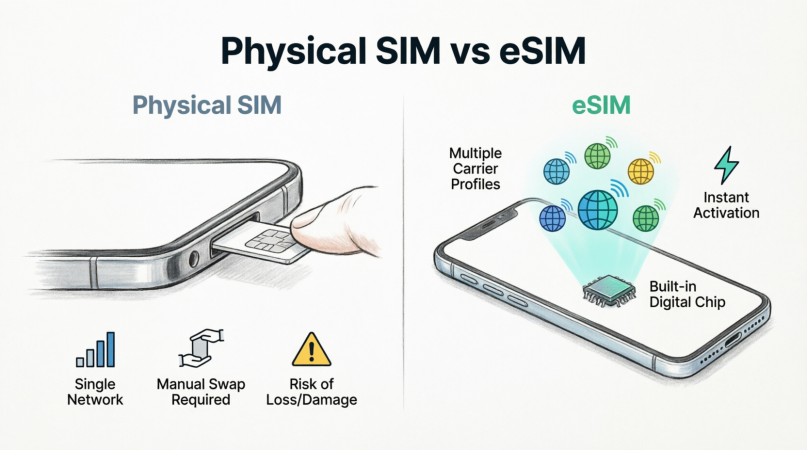
To understand why the digital transition is accelerating, it is helpful to look at how the underlying hardware has evolved.
┌────────────────────────────────────────────────────────┐
│                      YOUR SMARTPHONE                   │
│                                                        │
│   ┌───────────────────────────┐     ┌──────────────┐   │
│   │       Physical Slot       │     │ Built-in Chip│   │
│   │                           │     │              │   │
│   │     [ Physical SIM ]      │     │   [ eSIM ]   │   │
│   │  • One network profile    │     │  • Stores 5+ │   │
│   │  • Needs manual swapping  │     │    profiles  │   │
│   │  • Easily lost/damaged    │     │  • Instant   │   │
│   │                           │     │    activation│   │
│   └───────────────────────────┘     └──────────────┘   │
└────────────────────────────────────────────────────────┘
A physical SIM (Subscriber Identity Module) card is a removable plastic microchip that locks your device to a single carrier network. You must physically replace it to change your carrier or network profile.
An eSIM (Embedded SIM) is a programmable microchip soldered directly onto your phone’s motherboard during manufacturing. Instead of inserting plastic, you download a digital “profile” over the air via a QR code or an app, allowing you to instantly switch networks.
eSIM vs. Physical SIM: Head-to-Head Comparison
| Feature | Physical SIM | eSIM (e.g., Saily) |
| Delivery | In-store pickup or mail delivery | Instant digital download via app |
| Activation | Physical insertion & reboot | QR code scan or in-app tap |
| Dual-SIM Capability | Rare (requires specialized dual-tray devices) | Native on most modern smartphones |
| Security Risk | High (susceptible to physical theft & SIM-swapping) | Very Low (locked to the device motherboard) |
| Multi-Network Storage | Only one network profile per card | Stores multiple profiles (switch in settings) |
Why Travelers are Switching to the Dual-SIM Setup
The single biggest advantage of eSIM technology for travelers is the Dual-SIM, Dual-Standby (DSDS) setup. Modern smartphones allow you to keep your physical SIM (home carrier) active while simultaneously running an eSIM (local travel data).
The 2FA Travel Lifeline: If you temporarily replace your physical SIM card with a foreign one, you lose access to your home phone number. This means you cannot receive SMS-based two-factor authentication (2FA) codes from your bank, work accounts, or secure apps.
With a dual-SIM setup, you get the best of both worlds:
Home SIM (Active for texts/calls): Keep this on to receive free incoming SMS alerts and emergency 2FA verification codes.
Travel eSIM (Active for cellular data): Configure this as your primary pathway for data, apps, and maps to avoid massive roaming bills.
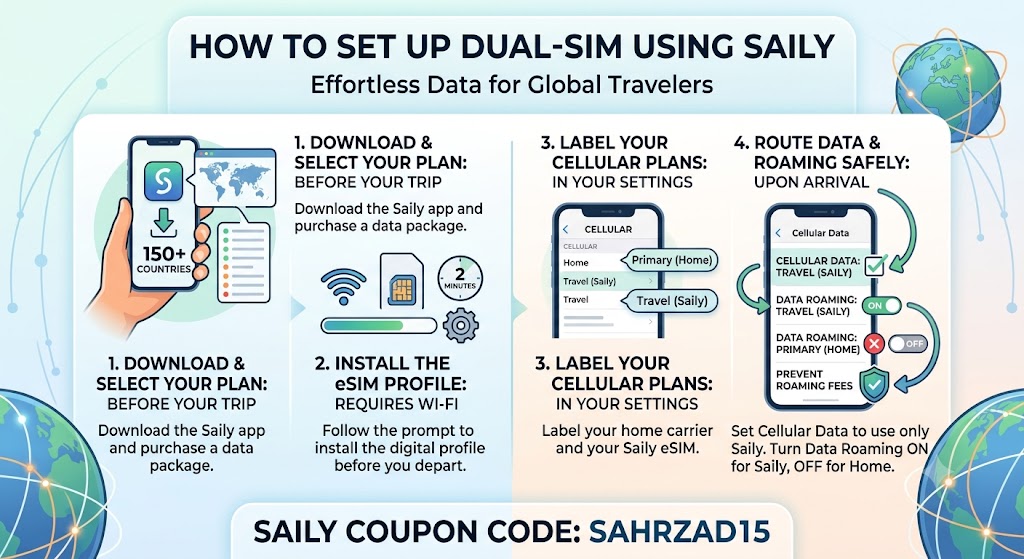
How to Set Up Dual-SIM Using Saily
Using a user-friendly global eSIM provider like Saily (developed by the security experts at Nord Security) makes configuring this setup effortless.
Security, Convenience, and E-E-A-T Considerations
The shift from physical cards to virtual ones isn’t just about avoiding a paperclip; it is a fundamental upgrade in personal cybersecurity.
Zero SIM-Swapping: If your phone is stolen, physical SIM cards can be easily popped out and slipped into another phone, giving thieves immediate access to your financial accounts. Because an eSIM is hardwired into the phone, it cannot be removed, and the device remains lock-protected.
Encrypted Connections: Travel eSIMs like Saily provide an insulated data path. By utilizing a dedicated cellular eSIM link instead of vulnerable public airport Wi-Fi, you drastically reduce your susceptibility to man-in-the-middle cyberattacks.
"The rapid decline of the physical SIM card is a major win for consumer security. Removable plastic SIMs represent a physical vulnerability. Transitioning to embedded eSIMs effectively closes a gateway used for unauthorized SIM swapping and device-cloning fraud."
— Dr. Evelyn Thorne, Telecommunications Security Analyst